Route Groups
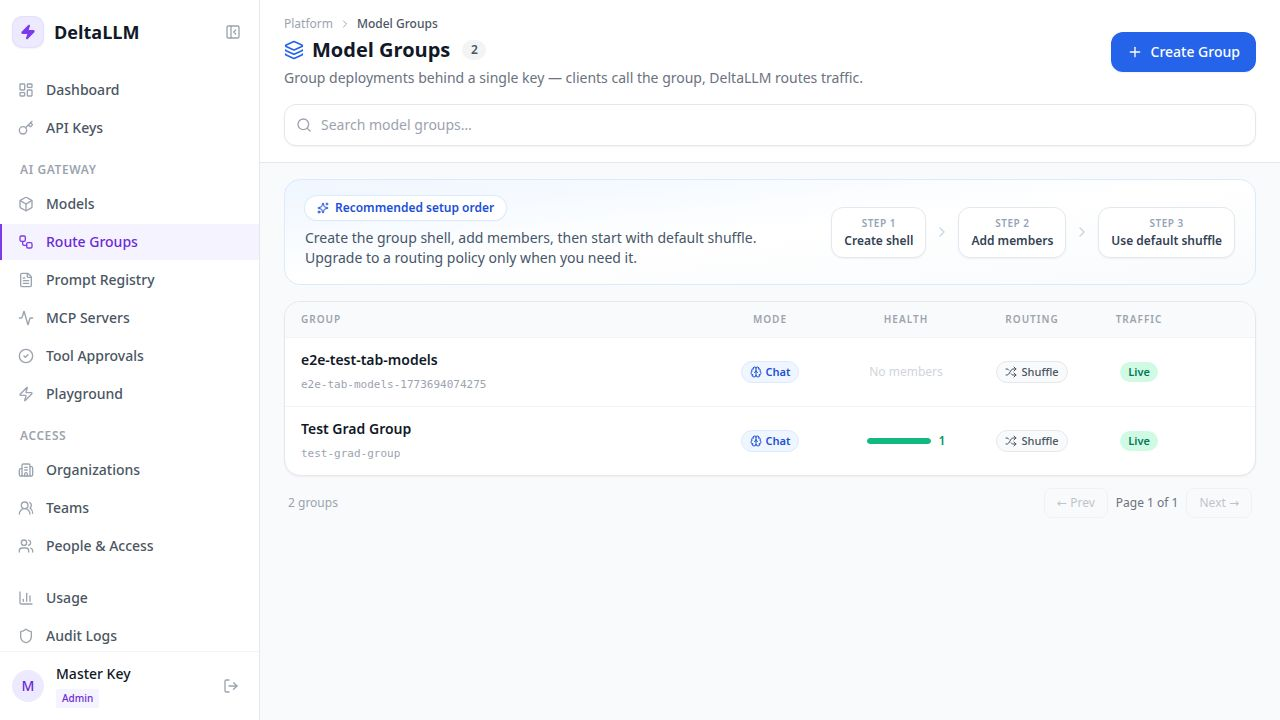
Route Groups let you place multiple deployments behind one stable runtime target.
Use a route group when one public model name should:
- balance across several deployments
- fail over in a controlled way
- carry its own routing policy
- bind to a prompt at the group level
Quick Success Workflow
- Create the route group shell
- Add one or more member deployments
- Keep the default routing behavior at first
- Mark the group live
- Use the generated call example to test traffic
For most teams, this is the right first path. You do not need an advanced policy on day one.
What the Group Owns
A route group defines:
- a stable group key
- the workload type, such as chat or embeddings
- which deployments are members
- whether the group is live
- optional prompt binding
- optional routing policy history and overrides
Route groups are also callable targets. Their runtime visibility is governed through the same callable-target bindings and scope policies used for public model names.
What the List Page Shows
- group key and display name
- workload type
- whether the group is live
- member count
- current routing state
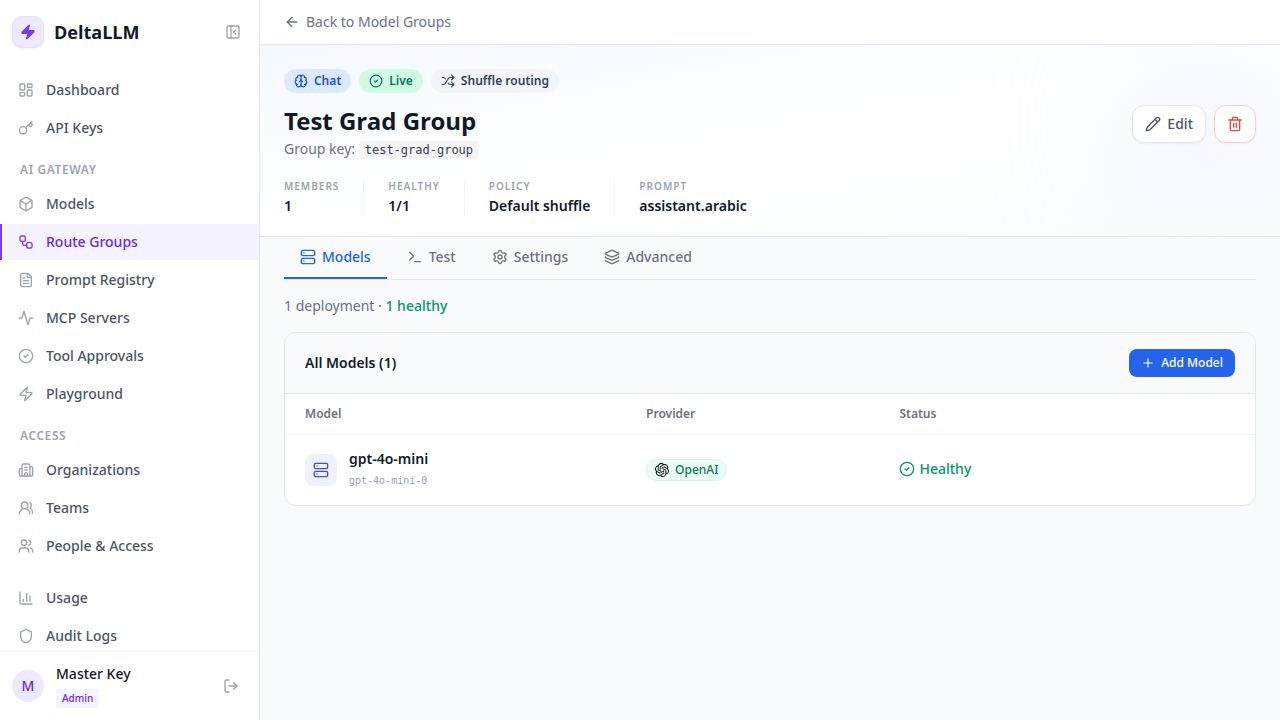
What the Detail Page Lets You Do
- edit the basic group metadata
- add and remove member deployments
- see the current usage example for calling the group
- bind a prompt
- inspect and publish routing policy changes
When You Need an Advanced Policy
Start with the default behavior unless you need one of these:
- ordered failover
- weighted traffic splits
- a specific routing strategy
- a draft, publish, rollback, or simulation workflow for routing changes
Routing Policy Basics
A route-group policy should stay small and explicit.
In practice, that means:
- choose one routing strategy
- optionally override member
enabled,weight, orpriority - optionally override the group timeout
- optionally override retry behavior
The supported policy fields today are:
modestrategymemberstimeouts.global_msortimeouts.global_secondsretry.max_attemptsretry.retryable_error_classes
Policy Modes
The UI can present policy modes as shortcuts:
weighted: use weighted traffic splittingfallback: use ordered primary and standby behavior
How they behave:
weightedmaps to theweightedstrategy if you do not set a strategy explicitlyfallbackmaps topriority-based-routingif you do not set a strategy explicitly
Do not plan around these as live runtime modes yet:
conditionaladaptive
Those are not active route-policy behaviors in the runtime today.
Which Policy Should I Use?
Choose by goal:
- use
simple-shufflewhen the deployments are roughly equal - use
weightedwhen you want a controlled traffic split - use
priority-based-routingorfallbackwhen one deployment should be primary - use
least-busywhen you are smoothing burst traffic - use
latency-based-routingwhen end-user latency matters most - use
cost-based-routingwhen cost matters most - use
rate-limit-awarewhen provider limits are the problem
For most teams, one of these three is enough:
simple-shuffleweightedpriority-based-routing
Simple Policy Examples
Weighted rollout:
{
  "mode": "weighted",
  "members": [
    {"deployment_id": "dep-primary", "weight": 9},
    {"deployment_id": "dep-canary", "weight": 1}
  ]
}
Primary plus standby:
{
  "mode": "fallback",
  "members": [
    {"deployment_id": "dep-primary", "priority": 0},
    {"deployment_id": "dep-standby", "priority": 1}
  ]
}
Latency-sensitive route group:
{
  "strategy": "latency-based-routing",
  "timeouts": {"global_seconds": 45},
  "retry": {"max_attempts": 1}
}
Quota-aware route group:
Member Overrides
Member overrides let the group behave differently without editing the underlying deployment definition.
enabled: take a member out of rotation without removing itweight: change traffic share forweightedpriority: control order forpriority-based-routingorfallback
Good Operating Pattern
Use this workflow:
- Create the route group and add members
- Start with
simple-shuffleorweighted - Simulate before publishing policy changes
- Publish only after the selection summary looks right
- Check
/health/deploymentsand/health/fallback-eventsafter rollout
The simulation view is especially useful for:
- checking weighted splits
- confirming fallback order
- confirming prompt-derived tag routing
Prompt Binding
Prompt binding belongs on the route group because the group decides where a prompt is applied.
That means:
- Prompt Registry defines the prompt template and its versions
- Route Groups decide which prompt is active for live traffic
If a prompt is bound, the usage example on the page should include the variables needed to call it correctly.
Related API Surface
The backend exposes route-group endpoints for:
- listing and editing groups
- managing group members
- reading and publishing routing policy
- validating and simulating policy changes
See Admin Endpoints for the route-group API reference.