Prompt Registry
Prompt Registry manages prompts as versioned runtime assets.
Use it when you want prompts to be treated like managed configuration instead of hardcoded strings in applications.
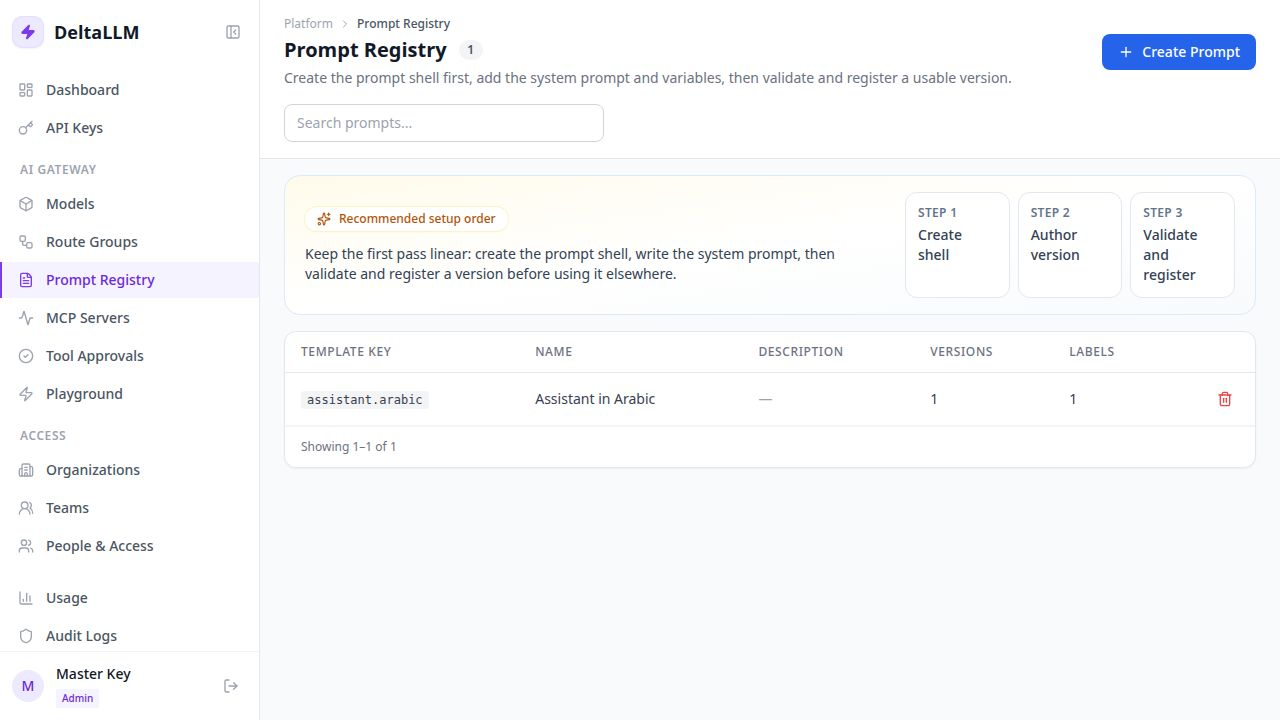
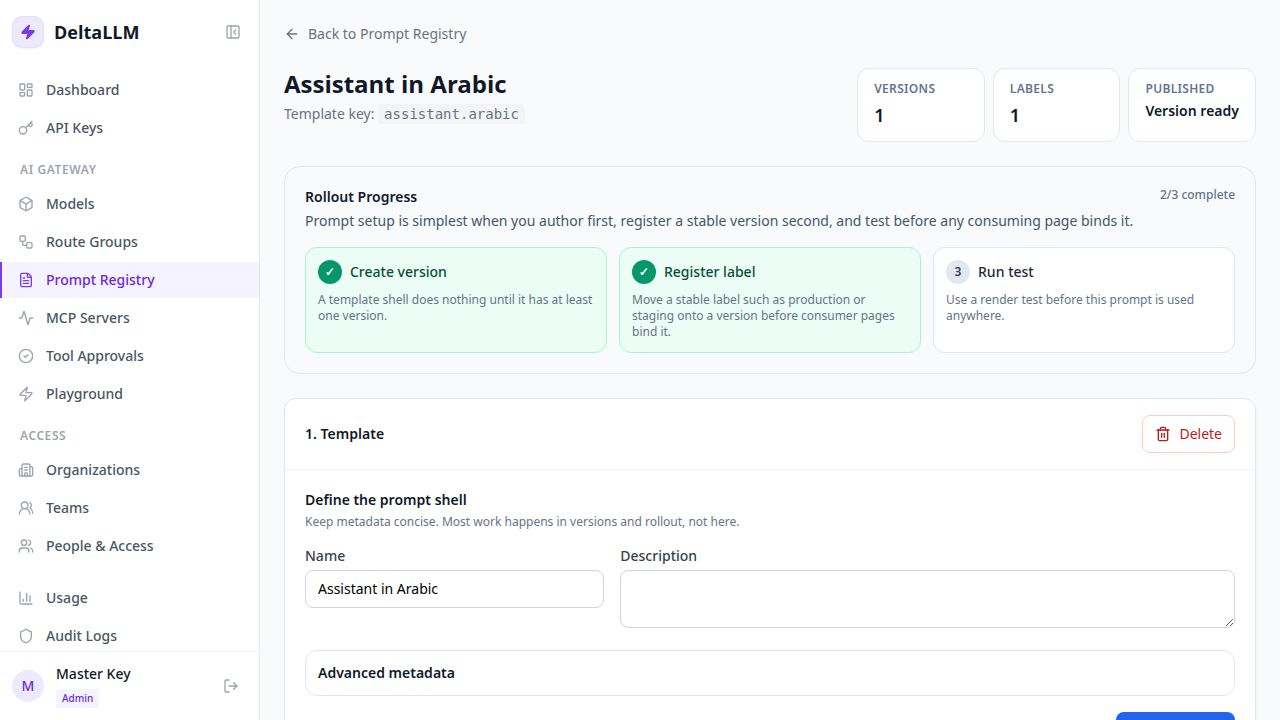
Quick Success Workflow
- Create a prompt template
- Add the first version of the template body
- Define the variables it expects
- Publish or label the version you want to use
- Bind that prompt from a consuming surface such as a route group
What the Registry Owns
The registry owns:
- prompt identity through
template_key - immutable prompt versions
- stable labels such as
production - render and resolution testing
- binding records at supported scopes
What the Registry Does Not Own
The registry defines the prompt itself, but it does not decide live traffic on its own.
In practice:
- Prompt Registry defines the prompt
- Route Groups or other supported scopes decide where it applies
Why Versions and Labels Both Exist
- a version is immutable and good for review
- a label is movable and good for rollout
This gives operators a stable promotion flow:
- create a new version
- test it
- move a label such as
production - let the bound consumer resolve the new labeled version
Validation and Safety
The prompt registry validates template keys and rejects secret-like content in template bodies before they are saved.
It also supports:
- render previews
- resolution previews
- binding inspection
Related API Surface
The backend exposes endpoints for:
- templates
- versions
- labels
- bindings
- render preview
- resolution preview
See Admin Endpoints for the prompt-registry API reference.